
File Size : 0.8 Mb
Defender Remover is a tiny tool that enables you to turn off the Windows embedded antivirus for good. Donât fret, as you can turn it back on again, if you happen to change your mind.
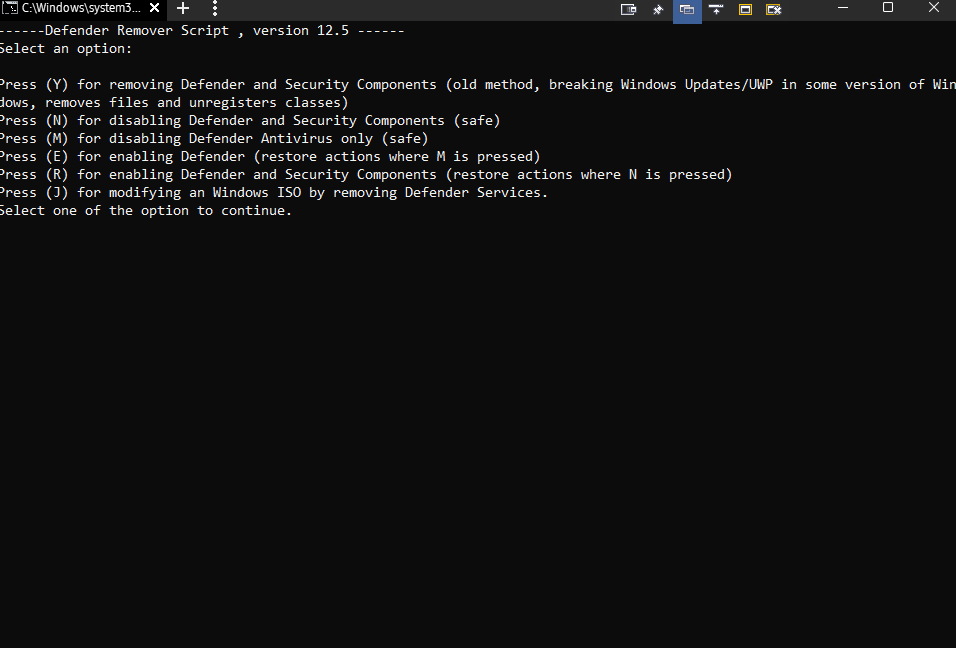
Run the tool and select your option to get started
The application doesnât require installation or configuration, so download and launch to get started. Given the nature of the program, it is advisable that you run it as Administrator to avoid any potential errors due to changes to system files.
The interface is plain, simple and resembles a console tool where you can select the desired option by typing it the corresponding letter. As indicated by the tool, the application will reboot your computer and proceed to apply the changes once you choose your option.
On a side note, the tool doesnât just permanently disable Defender, but also deals with other related services and processes. To be more precise, it also removes Windows Security App, Windows Smart-Screen, Windows Web-Threat Service, Microsoft Defender App Guard, Windows Virtualization-Based Security (VBS), Windows File Virtualization (UAC) and Windows Security Services. Therefore, make sure you have an alternative form of protection, especially if your computer is connected to the Internet.
A straightforward solution for disabling Windows Defender
It is worth mentioning that you can turn off the antivirus without the help of third-party tools via the Settings. Then again, not many want to wander on that path, especially since it entails making some changes in the Edit Group Policy, which not all of us are comfortable making.
Whether you are using another antivirus solution, you are unhappy with the protection provided by Defender or you just donât like it, you can consider using Defender Remover to turn it off permanently.
HomePage:
https://github.com/jbara2002/windows-defender-remover
Download
Defender Remover 12.8.2
Size: • Version:
Archive password: Password not set
