
File Size: 7.5 MB
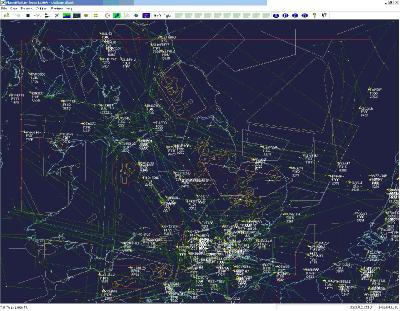
PlanePlotter receives and decodes live digital position reports from aircraft and plots them on a chart. Using PlanePlotter, you can see a radar-like display of all those aircraft around you that are transmitting the appropriate digital messages including ACARS, ADS-B and HFDL.
PlanePlotter - Features
The animated screen grab from PlanePlotter (left) was kindly provided by John Locker.
Message display
PlanePlotter shows a table display of messages received and decoded from live aircraft transmissions.
Data saving
PlanePlotter archives all the digital data that it receives and decodes to a log file.
Chart display
PlanePlotter plots aircraft positions, altitudes and times decoded from the message traffic that it receives. These include embedded position reports, AMDAR reports and ADS reports contained in ACARS messages, ADS-B position reports received by the Kinetic SBS1™ or AirNav System RadarBox™ Mode-S receivers, and position reports on HF using Charles Brain's PC-HFDL software. The plot can be superimposed on a suitable aeronatical chart that you have prepared, or PlanePlotter can download satellite imagery and plot the aircraft symbols on that. Where altitude information is available (eg Mode-S messages), you can select the data by altitude band to distinguish low level and high level traffic.
Google Earth server
If you are receiving Mode-S ADS-B position reports, PlanePlotter can interface to Google Earth to display aircraft positions over the Google Earth base map. It can even give you a dynamic real-time view from the flight deck of an aircraft that you designate.
Direction finding
PlanePlotter can determine and display the direction of any transmission using a simple passive antenna switch. This allows aircraft to be located even if they are not equipped with ACARS or Mode-S/ADS-B.
Whats New
official site does not provide any info about changes in this version.
HomePage:
https://www.coaa.co.uk/planeplotter.htm
Download
COAA PlanePlotter 6.6.9.4
Size: • Version:
Archive password: Password not set
